Call tracking for marketing agencies
Prove which campaigns make your clients' phones ring. Every client in one login, each with their own view, and every call tied to the Facebook ad, Google search, listing or page behind it.
The calls you generate, finally on the report
For most local businesses the phone is where the money is, and it's the part of the funnel an agency usually can't see. Form fills show up in analytics; calls get lost somewhere between the ad and the van. When the client says “the phone's been quiet”, you need the real number, not a guess.
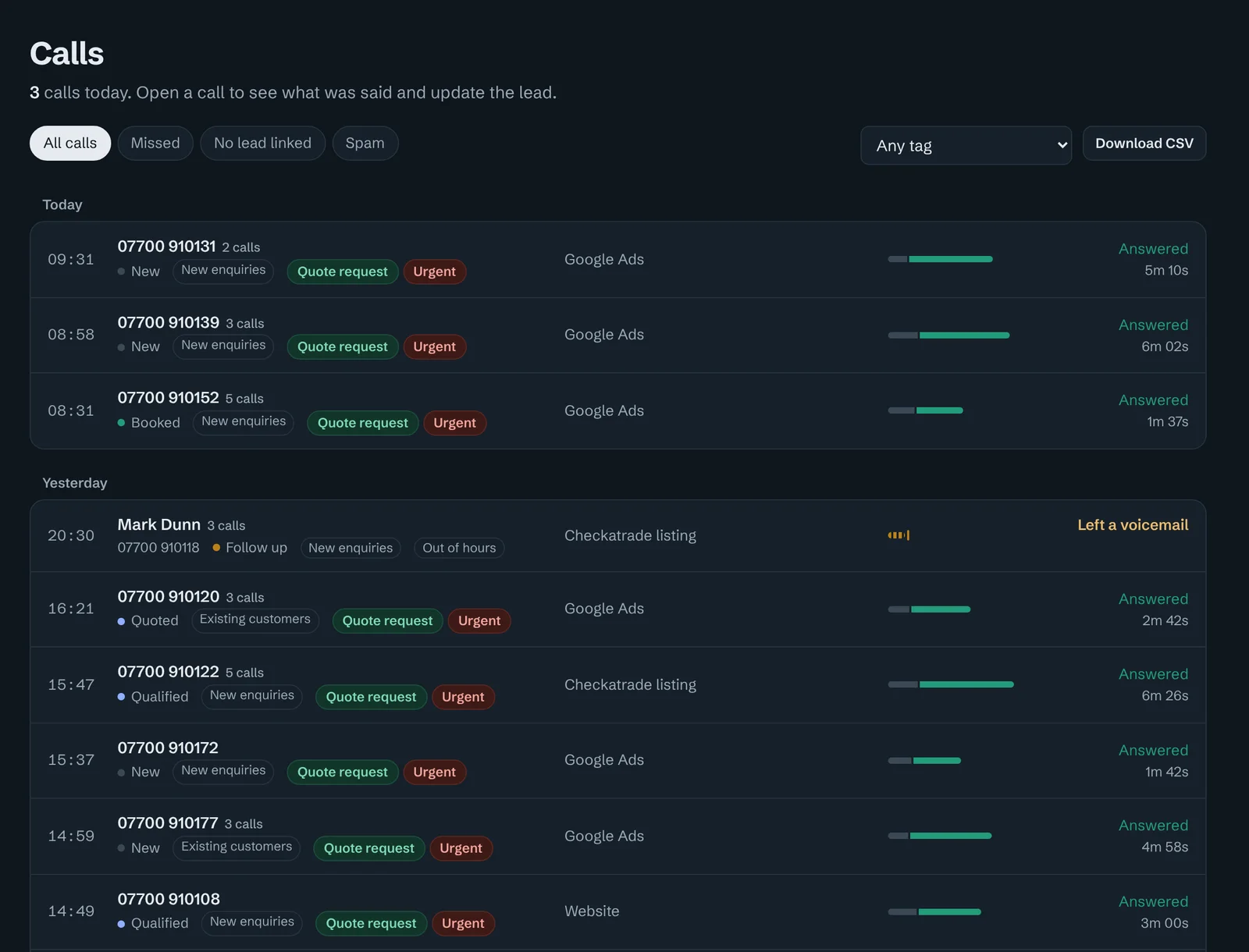
Calltrail counts every call, shows which source it came from, whether it was answered and how long it lasted, and lets you play it back. You walk into the monthly review with calls by campaign, not clicks by campaign.
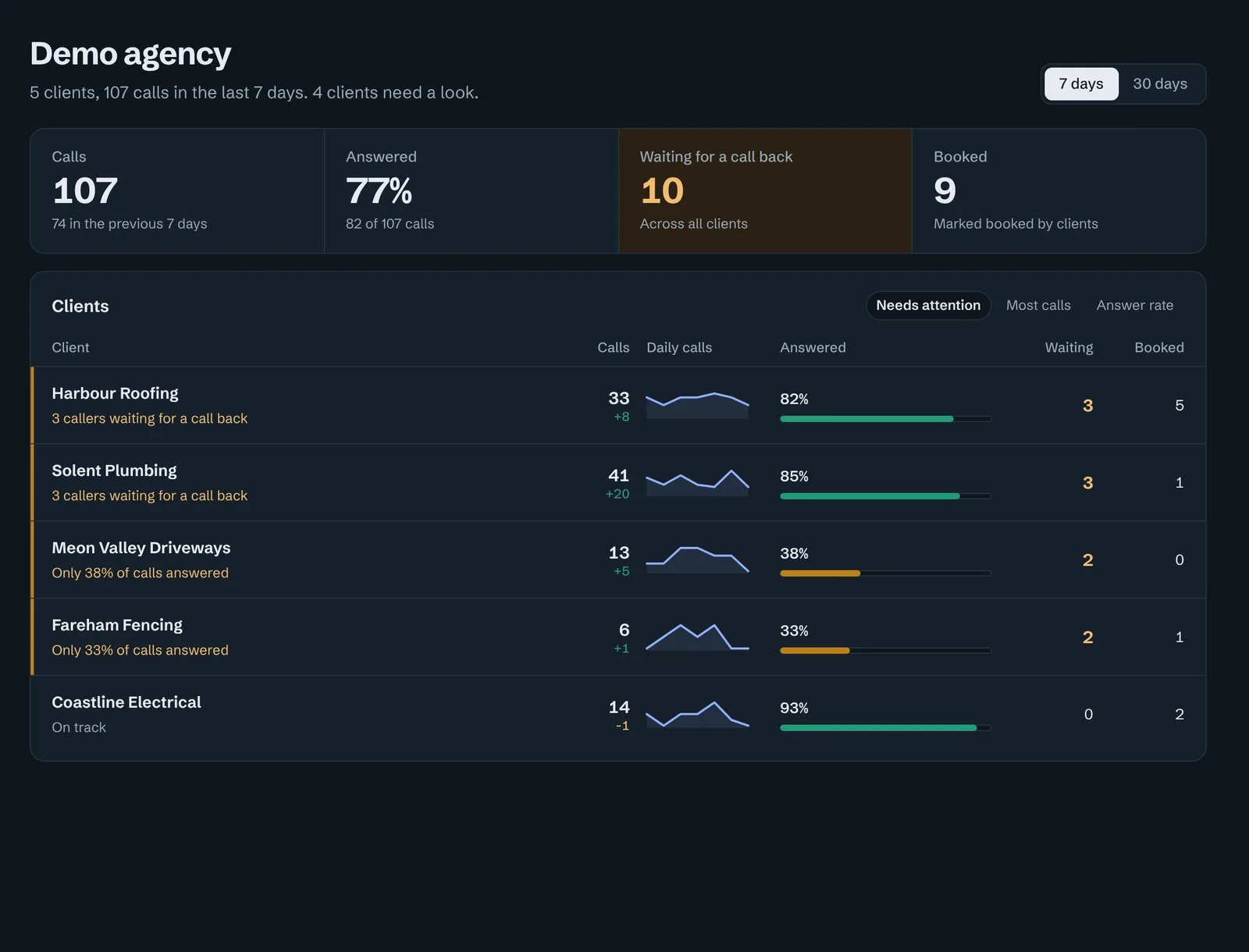
One overview for every client
- Every client's calls and leads in one list, or one client at a time.
- Answer rate and missed calls side by side, so you spot the client who isn't picking up before they blame the ads.
- Spam and robot calls flagged and left out, so the numbers you report are real enquiries.
- A weekly email report for each client every Monday morning.
Access that matches how agencies work
- Client logins. Invite people from the client's business; they only see that business.
- Team access per client. Account managers see the clients they look after, and nothing else.
- Roles. Owners, managers who can change call handling and numbers, and view-only members.
- Usage per client. Numbers, minutes, recordings and transcripts each month, ready for your invoicing.
- Downloads and an API. CSV exports and a read API for your own dashboards and reports.
Feed the ad platforms real enquiries
Answered calls are sent back to Meta, Google Ads, Microsoft Ads and GA4 as conversions, with the click that started the visit. Each platform then optimises toward the people who call, not just the people who click. Leads can be pushed into HubSpot, Pipedrive or Salesforce with their source attached. Facebook ads and Google Ads call tracking in detail.
Call handling, without touching the client's phone system
Set opening hours, who rings and in what order, phone menus (“press 1 for new enquiries”), voicemail and blocked callers for each client. Staff can hear a whisper before the caller is connected, such as “Call from Google Ads, boiler repair”, so they answer knowing what the caller wants. Missed calls trigger a text or email straight away.
Questions people ask
Can each client log in and see only their own calls?
Yes. Invite people from the client's business and they only ever see that business. You decide whether they can change settings or just view calls and leads.
Can I limit which of my staff see which clients?
Yes. Team members can be given access to every client or only the clients you choose, as an owner, manager or view-only member.
How do I bill clients for call tracking?
Calltrail shows each client's numbers, call minutes, recordings and transcripts for the month, so you can bill them however you like as part of your retainer or as a separate line.
Can I move a client's existing number to Calltrail?
Yes. As well as buying new local UK tracking numbers, you can move existing numbers in, so a number on a van or a long-running directory listing keeps working and starts being tracked.
Does it work for clients who don't use Google Ads?
Yes. Fixed numbers can go on Google Business Profile, directories such as Checkatrade, Facebook ads, print, radio and vehicles. Website visitors from organic search, social and referrals are tracked with dynamic numbers.
Show clients what their marketing is really worth
Book a 20-minute walkthrough. We'll show you Calltrail with sample clients, and set up your first tracking numbers if it suits.